Systems and engineering recipe · Lifecycle diagram
Which states exist, what events move between them, and how does it end?
Draw it as a lifecycle diagram with the MosoFin-diagram "Object lifecycle" recipe. A state model with active work, waits, retries, cancellation, failure, and explicit terminal outcomes. Your coding agent returns one validated, self-contained HTML file.
When to use this diagram
Tasks, orders, tickets, subscriptions, jobs, agent runs, or any durable object with status.
Pick another recipe when the object has no durable state and the real question is participant interaction over time.
What the diagram must include
- Start and active states
- Event-labelled transitions
- Wait and retry states
- All terminal outcomes
Copy-ready prompt
Paste this into your coding agent with MosoFin-diagram installed. Recipe ID: object-lifecycle.
Use Mosofin lifecycle mode to model this object. Separate main progress, waiting or interruption states, and terminal outcomes. Label transitions with events, include retry, cancellation, timeout, success, and failure where real, and never hide an ending.How to make it
- Install the skill. Add MosoFin-diagram to your coding agent. For Claude Code: npx -y skills add MosoFin/mosofin-diagram --skill mosofin --agent claude-code --global --copy --yes
- Describe the business once. Answer a short interview: what the business does, which entities are in scope, and which system of record owns each domain.
- Ask this question. Paste the Object lifecycle prompt from this page. The agent writes the diagram spec, validates it, and repairs anything the validator names.
- Open and share the diagram. Open the self-contained HTML file in any browser, walk the guided views, and forward it or export an image.
Verified example
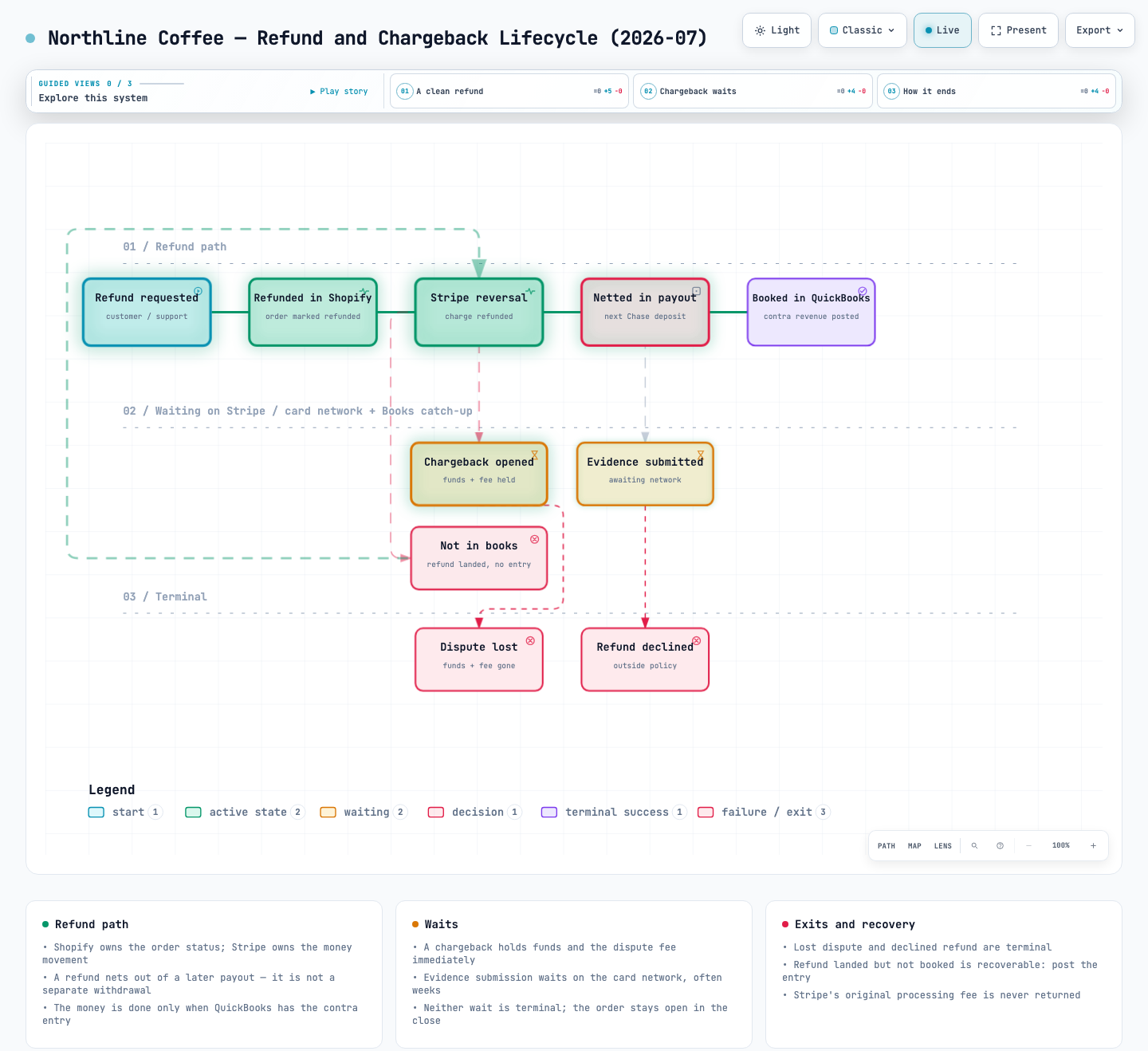
Northline Coffee — Refund and Chargeback Lifecycle (2026-07) is a real lifecycle diagram delivered by the skill and checked by its validator.
Questions about this recipe
Which diagram type answers “Which states exist, what events move between them, and how does it end?”
A lifecycle diagram. The states one object moves through: refunds, disputes, invoices, subscriptions. The Object lifecycle recipe sets it up for this question.
When should I use a different recipe?
Pick another recipe when the object has no durable state and the real question is participant interaction over time.
Does MosoFin-diagram connect to my systems or invent numbers?
No. It draws only what you state in the business brief or the conversation. It never calls QuickBooks, Stripe, Shopify, an ERP or a bank, and an amount you did not supply never appears.