Systems and engineering recipe · Workflow diagram
How does a change move safely from commit to production?
Draw it as a workflow diagram with the MosoFin-diagram "Delivery workflow" recipe. A delivery flow with build, checks, environments, approvals, smoke tests, rollback, and ownership lanes. Your coding agent returns one validated, self-contained HTML file.
When to use this diagram
CI/CD design, release reviews, deployment governance, or onboarding developers to delivery.
Pick another recipe when the question is where infrastructure runs or what states a deployment object can occupy.
What the diagram must include
- Trigger and build
- Blocking checks
- Approval and environments
- Rollback and verification
Copy-ready prompt
Paste this into your coding agent with MosoFin-diagram installed. Recipe ID: delivery-workflow.
Use Mosofin workflow mode to draw this delivery process from commit to production. Separate developer, CI, approval, environment, and exception lanes; mark blocking checks, smoke tests, ownership, and the rollback path. Keep one unmistakable happy path.How to make it
- Install the skill. Add MosoFin-diagram to your coding agent. For Claude Code: npx -y skills add MosoFin/mosofin-diagram --skill mosofin --agent claude-code --global --copy --yes
- Describe the business once. Answer a short interview: what the business does, which entities are in scope, and which system of record owns each domain.
- Ask this question. Paste the Delivery workflow prompt from this page. The agent writes the diagram spec, validates it, and repairs anything the validator names.
- Open and share the diagram. Open the self-contained HTML file in any browser, walk the guided views, and forward it or export an image.
Verified example
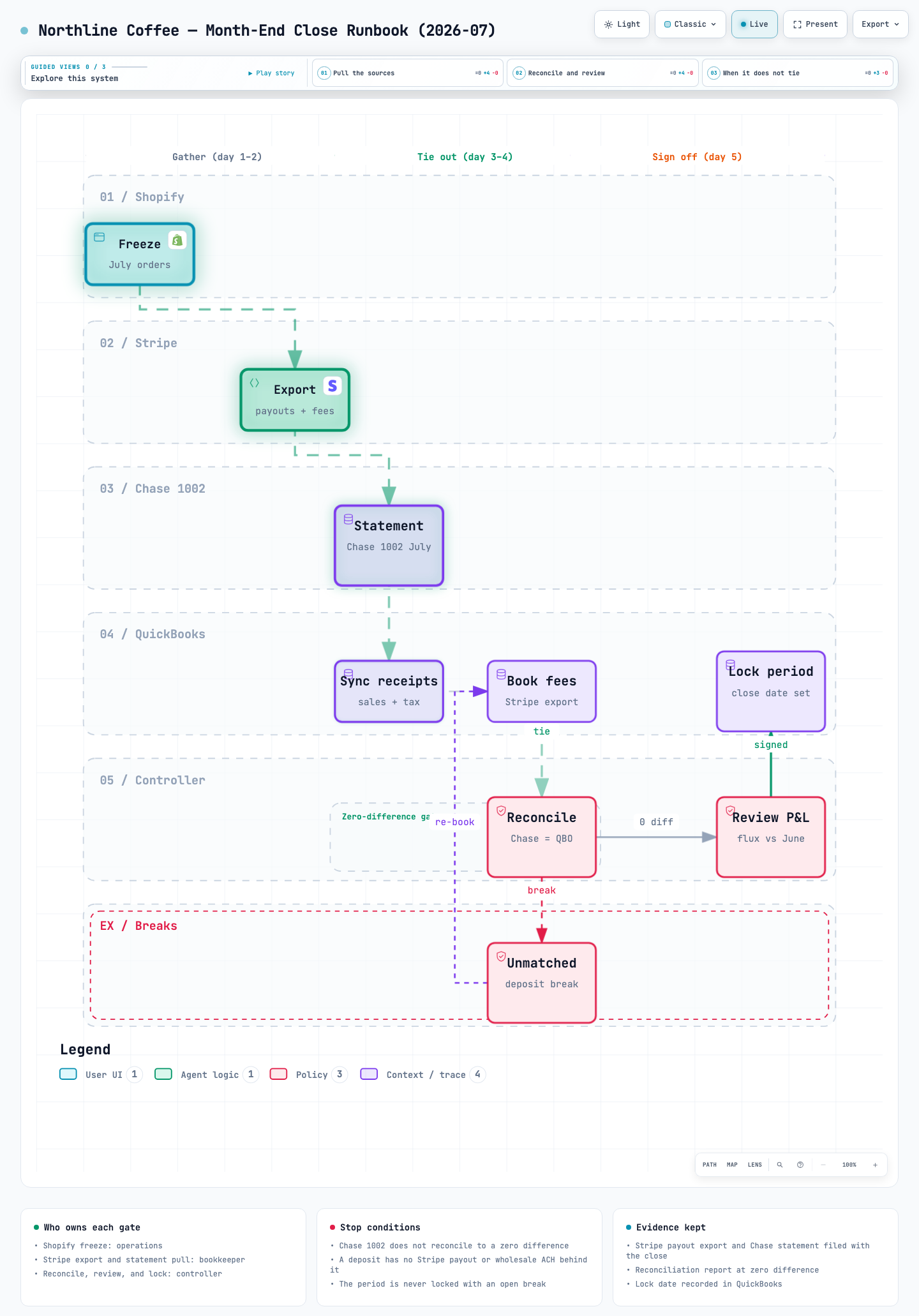
Northline Coffee — Month-End Close Runbook (2026-07) is a real workflow diagram delivered by the skill and checked by its validator.
Questions about this recipe
Which diagram type answers “How does a change move safely from commit to production?”
A workflow diagram. Steps and gates in one process: team handoffs, the month-end close, approval chains, payment runs. The Delivery workflow recipe sets it up for this question.
When should I use a different recipe?
Pick another recipe when the question is where infrastructure runs or what states a deployment object can occupy.
Does MosoFin-diagram connect to my systems or invent numbers?
No. It draws only what you state in the business brief or the conversation. It never calls QuickBooks, Stripe, Shopify, an ERP or a bank, and an amount you did not supply never appears.